
Random Access Memory (RAM) is a critical component in any computing device, directly impacting its speed and responsiveness. It temporarily stores data that your CPU needs quick access to, enabling smooth multitasking and efficient processing.
For professionals and tech enthusiasts alike, understanding different types of RAMs is essential to optimizing computer performance. In this article, UniBetter will explore the different types of RAMs available today, helping you make an informed choice tailored to your technical needs!
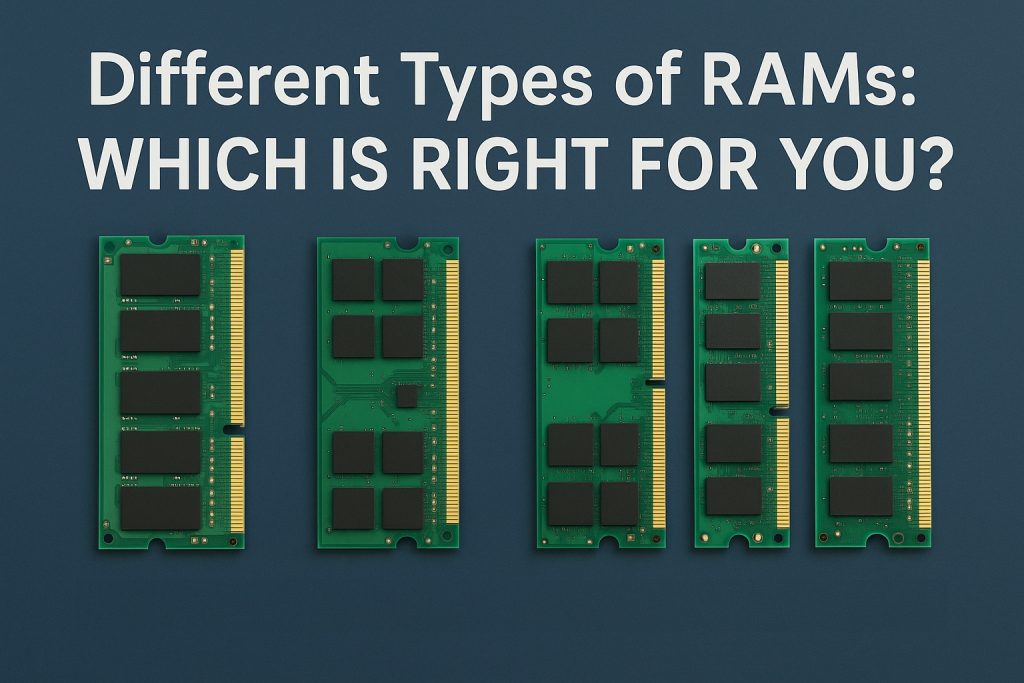
What Is RAM?
RAM, or Random Access Memory, is a form of volatile memory, which means it requires power to maintain the stored information. When the power is turned off, all data in RAM is lost.
RAM vs. ROM Difference: ROM, or Read-Only Memory, is totally the opposite. It is non-volatile, which means it contains permanent data and instructions. The stored memory doesn’t get erased even when the power is off.
RAM is critical for providing fast and flexible data access for active tasks, while ROM is essential for system startup and security.
Different Types of RAMs
As there are different types of random access memories, choosing the right type can significantly boost your system’s operation while maximizing the value of your investment.
- SRAM (Static RAM)
SRAM uses flip-flop circuits to store each bit of data. This inherent design feature means it doesn’t require constant refreshing like DRAM. As a result, SRAM is faster and generally more reliable, which is why it is often found in speed-sensitive CPU cache memory. However, it is usually more expensive.
- DRAM (Dynamic RAM)
DRAM is the most widely used type of RAM. It stores data in capacitors within each memory cell. Since these capacitors leak charge, the data must be refreshed periodically, which can slow down performance compared to SRAM. The advantage of DRAM is that it is cost-effective and provides higher densities, making it ideal for main system memory in PCs and servers.
- SDRAM (Synchronous Dynamic RAM)
SDRAM synchronizes with the computer’s system clock, providing more efficient processing and better speed than traditional DRAM. By syncing to the clock cycle, SDRAM can queue multiple instructions, improving overall performance in desktop and laptop environments.
- RDRAM (Rambus DRAM)
RDRAM was designed to offer high bandwidth through a narrow channel architecture. It saw some use in the early 2000s, particularly in gaming consoles and high-end PCs, but due to its higher cost and limited adoption, it has mostly been phased out.
- DDR SDRAM (Double Data Rate SDRAM)
DDR SDRAM improves upon SDRAM by transferring data on both the rising and falling edges of the clock signal, which effectively doubles data throughput. This technology has progressed through several generations (DDR2, DDR3, DDR4, and now DDR5), with each new version offering higher speeds, increased capacity, and improved power efficiency.
- GDDR SDRAM (Graphics Double Data Rate SDRAM)
GDDR is a specialized form of DDR SDRAM optimized for Graphics Processing Units (GPUs). Its design goals differ from those of main system memory (like DDR4 or DDR5). GDDR is engineered for extremely high bandwidth to support GPUs in processing massive amounts of parallel graphics data, while DDR focuses more on low latency to quickly respond to CPU data requests.
Despite the similar name, GDDR memory is not compatible with DDR memory; their sockets and operational methods are different. GDDR is typically used in devices requiring intensive graphics processing, such as graphics cards and gaming consoles. The latest versions, like GDDR6 and GDDR6X, offer incredible bandwidth, significantly boosting performance in gaming and professional rendering.
DDR4 and DDR5: Today’s Mainstream Memory Types
In the current market (2025), DDR4 and DDR5 are the two most dominant memory types, each with a different focus on performance, efficiency, and features.
- DDR4 SDRAM: The Mature and Cost-Effective Choice
Released in 2014, DDR4 has been the market leader for several years. It strikes an excellent balance between performance and price, making it an ideal choice for many mainstream desktop PCs, laptops, and servers.
- Speed Range: Standard DDR4 speeds typically range from 2133 MHz to 3200 MHz, but high-performance versions can exceed 4000 MHz.
- Voltage: DDR4 operates at a low voltage of 1.2V, making it more power-efficient than its predecessor, DDR3 (1.5V or 1.35V).
- Key Features: DDR4 allows for higher single-module capacities, easily supporting 16GB, 32GB, or even 64GB sticks, which makes building large-capacity memory systems much simpler.
- DDR5 SDRAM: The Performance King and Future Trend
Released in 2020, DDR5 is the newest mainstream memory technology. It brings a significant leap in performance, designed to meet the future’s greater demands for data processing and multitasking.
- Speed Range: DDR5’s standard speeds start at 4800 MHz, far surpassing DDR4’s starting speeds, with future versions expected to exceed 8400 MHz.
- Voltage: DDR5 also tends to be more power-efficient than DDR4, as it operates at a lower standard voltage of 1.1V (compared to DDR4’s 1.2V). This can be a key consideration for certain power-sensitive applications.
- Power Management: DDR5 integrates power management onto the memory module itself (known as a PMIC), which helps improve voltage stability and reduces motherboard complexity, thereby boosting power efficiency.
- Channel Architecture: DDR5 introduces a dual-channel sub-architecture. Each memory module (DIMM) has two independent 32-bit channels, which significantly boosts its effective bandwidth compared to DDR4.
- Capacity: The maximum capacity of a single DDR5 stick has been greatly increased, with modules currently available up to 128GB. This makes it possible for professional workstations and servers to have a massive amount of memory.
In Summary: With its higher speeds, greater bandwidth, and more optimized power management, DDR5 is undoubtedly the top choice for users seeking ultimate performance and future-proofing, especially in fields like high-end gaming, video editing, 3D rendering, and scientific computing.
How to Choose the Right RAM for You
To choose the right RAM, you may balance the following factors carefully.
- Consider Your Usage
Your primary use case dictates your RAM requirements. For basic tasks like daily web browsing and office applications, 8GB to 16GB of DDR4 RAM is generally sufficient. For demanding tasks like high-end gaming, video editing, and 3D rendering, you’ll want to aim for 32 GB or more, preferably with the fastest DDR5 memory compatible with your system.
- Check Compatibility
This is arguably the most important step. You must ensure the RAM you choose is compatible with your motherboard and CPU. Your motherboard’s manual will specify the type of RAM (e.g., DDR4, DDR5), the number of slots, and the maximum supported capacity and speed. Your CPU also has memory specifications that must be adhered to.
- Capacity vs.Speed vs. Latency
These three factors are key to understanding RAM performance.
- Capacity (measured in GB) determines how much data can be held in memory at once.More RAM capacity allows more applications to run simultaneously.
- Speed (measured in MHz or MT/s) indicates how quickly data can be transferred.
- Latency (often represented by a set of numbers, like CL16) refers to the delay between a request for data and the data becoming available. Lower latency is better. It’s crucial to strike a balance; a very fast stick of RAM with high latency might not perform as well as a slightly slower stick with lower latency. The ideal scenario is a balance of sufficient capacity and high speed with low latency.
- Budget
RAM prices vary widely based on speed, capacity, and brand. While it’s tempting to go for the highest-end RAM, it’s often more economical to choose a configuration that provides the best performance for your budget without overspending on features you don’t need.
Go to UniBetter for Authentic Memory Chips
At UniBetter, we offer a wide range of computer components, including various types of RAM chips and memory modules. Whether you’re a system builder, a repair technician, or an engineer working on a new design, we can provide the components you need, even those that are hard-to-find or obsolete. Our expert team is here to support you with everything from a Bill of Materials (BOM) quote to design guidance.
Our advantages include:
- 16+ years of distribution experience
- Global network with 7,000+ trusted suppliers
- 30+ skilled global sourcing experts
- Multiple international certifications, including ISO9001, AS9120, and beyond
- Advanced CSD Quality Management System ensuring 100% genuine components
Conclusion
From SRAM to DDR SRAM, different types of RAMs play specific roles and offer distinct advantages. By considering your usage, compatibility, performance needs, and budget, you can select the right RAM that maximizes your system’s efficiency.
For businesses seeking reliable computer chips, UniBetter is a trusted partner. We provide the expertise and turnkey solutions you need to optimize performance while staying within budget. To learn more, click here to get in touch with us!
Reference links: