
Generative AI is advancing rapidly, reshaping industries with models that generate text, images, and code at unprecedented scale. This surge in capability depends on powerful hardware built for extreme computation.
NVIDIA continues to lead this space through its robust ecosystems, high-efficiency Tensor Cores, and deep software integration, introducing dynamic advancements into this field.
In light of its critical role in AI development, UniBetter will highlight its advanced GPU offerings, analyzing the best NVIDIA GPUs for AI and deep learning in different scenarios.
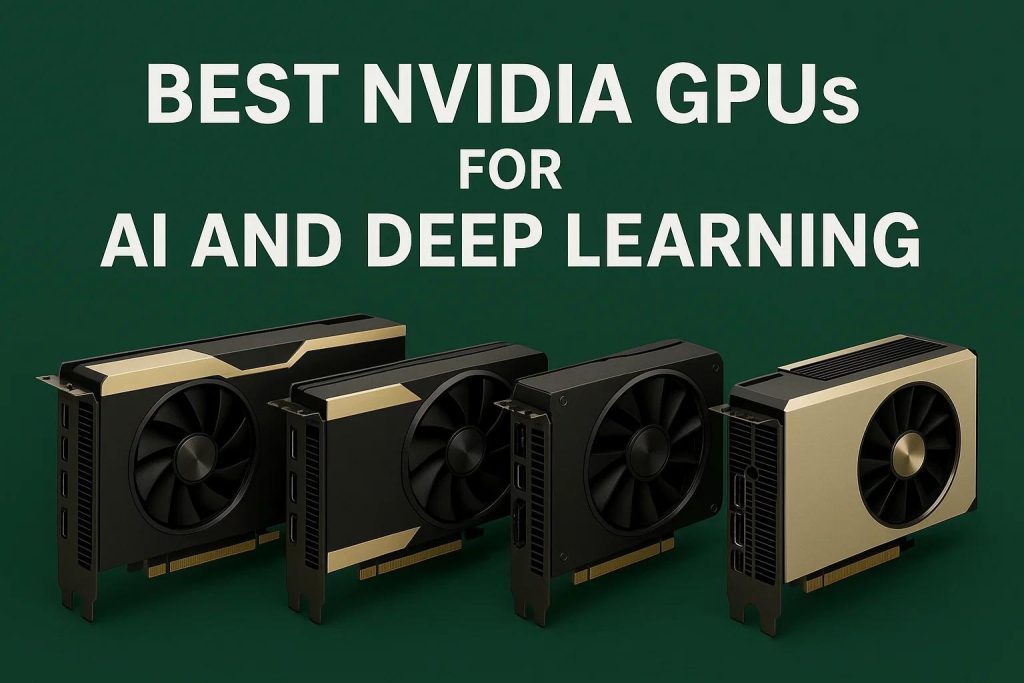
Best NVIDIA GPUs for AI and Deep Learning
Here are the widely recommended best NVIDIA GPUs for AI and deep learning:
1. NVIDIA Blackwell B200 / GB200
The Blackwell B200 and the combined Grace Blackwell (GB200) Superchip are designed for hyperscale AI and high-performance computing (HPC), tackling the largest and most demanding generative AI models, such as trillion-parameter Large Language Models (LLMs). It could be said that, to some extent, this is among the most powerful GPUs in the world for AI.
Their intended use is in cloud data centers and supercomputers where multi-GPU and multi-node scaling is paramount. The GB200 combines the high-speed Blackwell GPU with the high-bandwidth NVIDIA Grace CPU via NVLink-C2C, eliminating system bottlenecks.
| Key AI/DL Specs | NVIDIA B200 (Blackwell GPU) – Per GPU | NVIDIA GB200 (Grace Blackwell Superchip) – Per Chip |
| Architecture | Blackwell | Grace + Blackwell |
| Tensor Core Performance (FP4) | Up to 20 PetaFLOPS | Up to 20 PetaFLOPS (per B200) |
| GPU Memory | Up to 192 GB HBM3e | Up to 192 GB HBM3e (per B200) |
| Memory Bandwidth | Up to 8 TB/s | Up to 8 TB/s |
| Key Interconnect | 5th Generation NVLink (1.8TB/s per GPU) | NVLink-C2C and 5th Gen NVLink |
2. NVIDIA H200
The H200, based on the Hopper architecture, is the workhorse for large-scale data center training and high-throughput inference for complex models like LLMs. It is an enhanced version of the H100, specifically boosting memory capacity and bandwidth to handle massive datasets and models with long context windows, which are often memory-bound rather than compute-bound.
| Key AI/DL Specs | NVIDIA H200 (SXM / NVL) |
| Architecture | Hopper |
| Tensor Core Performance (FP8) | Up to 3,958 TFLOPS (SXM) / 3,341 TFLOPS (NVL) |
| Tensor Core Performance (BF16/FP16) | Up to 1,979 TFLOPS (SXM) / 1,671 TFLOPS (NVL) |
| GPU Memory | 141 GB HBM3e |
| Memory Bandwidth | 4.8 TB/s |
| Interconnect | NVLink (900 GB/s) / PCIe Gen5 (128 GB/s) |
3. NVIDIA RTX 6000 Ada / RTX PRO 6000 Blackwell
These are professional workstation GPUs intended for enterprise, research, and high-end individual developers. They are designed for local development, fine-tuning of large models, and mission-critical AI applications where reliability (with ECC memory) and large VRAM capacity are essential, but the extreme scale of a data center GPU is not needed. The new Blackwell-based PRO 6000 pushes this boundary significantly further.
| Key AI/DL Specs | RTX 6000 Ada | RTX PRO 6000 (Blackwell) |
| Architecture | Ada Lovelace | Blackwell |
| Tensor Cores | 4th Generation | 5th Generation (with FP4 support) |
| AI Performance | Approx. 1,460 AI TOPS (FP8 Sparse, Peak) | 4,000 AI TOPS (FP4 Sparse, Peak) |
| FP32 Performance | 91.1 TFLOPS | 126 TFLOPS |
| GPU Memory | 48 GB GDDR6 (with ECC) | 96 GB GDDR7 (with ECC) |
| Memory Bandwidth | 960 GB/s | 1,792 GB/s |
4. NVIDIA GeForce RTX 5090
This is the top-tier consumer/prosumer card, ideal for leading-edge private research, rapid prototyping, and medium-to-large-scale model training in a desktop environment.
It offers an excellent balance of raw computational power and memory for AI, benefiting greatly from the new Blackwell architecture’s enhanced Tensor Cores and the move to ultra-fast GDDR7 memory.
| Key AI/DL Specs | NVIDIA GeForce RTX 5090 |
| Architecture | Blackwell |
| Tensor Cores | 5th Generation (with FP4 and DLSS 4 support) |
| Tensor Core Performance (FP16) | 104.8 TFLOPS (Half) |
| CUDA Cores | 21,760 |
| GPU Memory | 32 GB GDDR7 |
| Memory Bandwidth | 1.79 TB/s |
5. NVIDIA RTX 4090
The RTX 4090 is an extremely popular and powerful choice for high-end personal AI/DL workstations and small lab setups. It excels at training medium-sized models and is highly efficient for inference, especially for demanding tasks like generative AI (e.g., Stable Diffusion) where its combination of high Tensor Core performance and generous 24GB VRAM is a sweet spot for price-to-performance.
| Key AI/DL Specs | NVIDIA GeForce RTX 4090 |
| Architecture | Ada Lovelace |
| Tensor Cores | 4th Generation (with FP8 and DLSS 3 support) |
| Tensor Core Performance (FP16) | 82.58 TFLOPS (Half) |
| CUDA Cores | 16,384 |
| GPU Memory | 24 GB GDDR6X (with ECC) |
| Memory Bandwidth | 1.01 TB/s |
6. NVIDIA RTX 5070 Ti / RTX 4070 Ti Super
These cards represent the upper-mid-range sweet spot for AI/DL users, providing a strong solution for most common machine learning tasks, rapid model iteration, and smaller-scale fine-tuning where budget and power consumption are concerns.
The RTX 5070 Ti, with the Blackwell architecture, offers a significant memory bandwidth boost and the efficiency of FP4 precision over the Ada-based 4070 Ti Super.
| Key AI/DL Specs | RTX 5070 Ti (Blackwell) (Estimated) | RTX 4070 Ti Super (Ada Lovelace) |
| Architecture | Blackwell | Ada Lovelace |
| Tensor Cores | 5th Generation (with FP4 and DLSS 4 support) | 4th Generation (with FP8 support) |
| CUDA Cores | ~8,960 | 8,448 |
| GPU Memory | 16 GB GDDR7 | 16 GB GDDR6X |
| Memory Bandwidth | ~896 GB/s | 672 GB/s |
7. NVIDIA RTX 4060 Ti
The RTX 4060 Ti is positioned as an entry-level GPU for deep learning enthusiasts and students who need a cost-effective option for experimental projects and small, non-production-critical model development.
While limited by a narrower memory bus, the availability of a 16 GB VRAM model makes it a viable, budget-friendly choice for models that require a larger memory capacity but are not extremely compute-intensive.
| Key AI/DL Specs | NVIDIA GeForce RTX 4060 Ti (16GB Variant) |
| Architecture | Ada Lovelace |
| Tensor Cores | 4th Generation |
| Tensor Core Performance (FP32) | 22.06 TFLOPS (Half) |
| CUDA Cores | 4,352 |
| GPU Memory | 16 GB GDDR6 |
| Memory Bandwidth | 288 GB/s |
How to Choose the Best-Suited AI GPU
Choosing the best GPUs for AI depends on your workload, scale, and performance goals. Here is how you can choose the best NVIDIA GPUs for AI according to your needs:
1. Define Your Workload Type
Determine whether your focus is training, inference, or AI-assisted creation. Large models and research applications demand GPUs like the B200 or H200, while smaller-scale projects or creative pipelines run efficiently on RTX 6000 Ada or RTX 4070 Ti Super.
2. Video RAM (VRAM) Capacity
VRAM limits how much data your GPU can handle at once. For heavy AI and data workloads, high-bandwidth HBM3e or GDDR7 memory is essential. For lighter projects, 8–16 GB VRAM from consumer GPUs such as the 4060 Ti is usually adequate.
3. Compute Performance
Performance is measured in TFLOPS or TOPS. The B200’s FP4/FP8 Tensor Cores lead in efficiency, while midrange RTX cards offer strong power-to-performance ratios for workstations and small labs.
4. Interconnect and Scalability
When choosing an AI GPU, consider your scalability plans. If your workloads involve distributed training or multi-GPU setups, look for GPUs that support NVLink or NVSwitch, such as the H200 and B200, which provide high-speed communication across nodes. For smaller-scale or individual systems, focus on PCIe Gen5 connectivity and fast local storage to keep data transfer smooth and efficient.
5. Budget and Availability
Enterprise-grade options like the B200 and H200 offer unmatched performance but come at a premium and may face limited availability due to high demand.
For researchers, developers, or startups, consumer-level GPUs such as the RTX 4090 or RTX 5090 deliver excellent performance at a lower cost, making them practical for local training or inference tasks.
6. Ecosystem Support
A GPU’s long-term value depends on how well it integrates with your software stack. NVIDIA leads the market with its mature CUDA, TensorRT, and cuDNN ecosystems, ensuring seamless compatibility across frameworks like PyTorch, TensorFlow, and JAX.
Choosing GPUs backed by strong driver support and regular software updates helps maintain stability, optimize performance, and future-proof your AI development environment.
Wrapping Up
From large-scale data centers to individual AI labs, NVIDIA’s latest GPUs set new standards for performance, scalability, and efficiency. Choosing the best NVIDIA GPUs for AI shapes how fast and effectively your AI models evolve.
As organizations look to build or expand their computing infrastructure, UniBetter stands ready to support them with reliable sourcing, verified quality, and fast delivery of advanced AI components.
About UniBetter
As AI continues to evolve rapidly, UniBetter, a professional electronic component distributor, delivers reliability and expertise to global clients. With over 16 years of experience and a verified network of more than 7,000 suppliers, we provide 100% genuine electronic components for industries spanning computing and storage, IoT intelligence, communication, and beyond.
Every component is tested in CNAS-certified laboratories to ensure quality and traceability, while our fast global delivery and technical support simplify large-scale procurement for data centers, research institutions, and AI hardware integrators.
References:
- https://www.nvidia.com/en-us/data-center/h200/
- https://www.nvidia.com/en-us/products/workstations/rtx-6000/
- https://www.nvidia.com/en-us/products/workstations/professional-desktop-gpus/rtx-pro-6000/
- https://www.nvidia.com/en-us/geforce/graphics-cards/50-series/rtx-5090/
- https://www.techpowerup.com/gpu-specs/
- https://www.nvidia.com/en-us/geforce/graphics-cards/50-series/rtx-5070-family/
- https://www.nvidia.com/en-us/geforce/graphics-cards/40-series/rtx-4070-family/
- https://www.tomshardware.com/pc-components/gpus/nvidias-rtx-5070-ti-and-rtx-5070-allegedly-sport-16gb-and-12gb-of-gddr7-memory-respectively-up-to-8960-cuda-cores-256-bit-memory-bus-and-300w-tdp
- https://www.nvidia.com/en-us/geforce/graphics-cards/40-series/rtx-4060-4060ti/